
One plan. Nothing to choose.
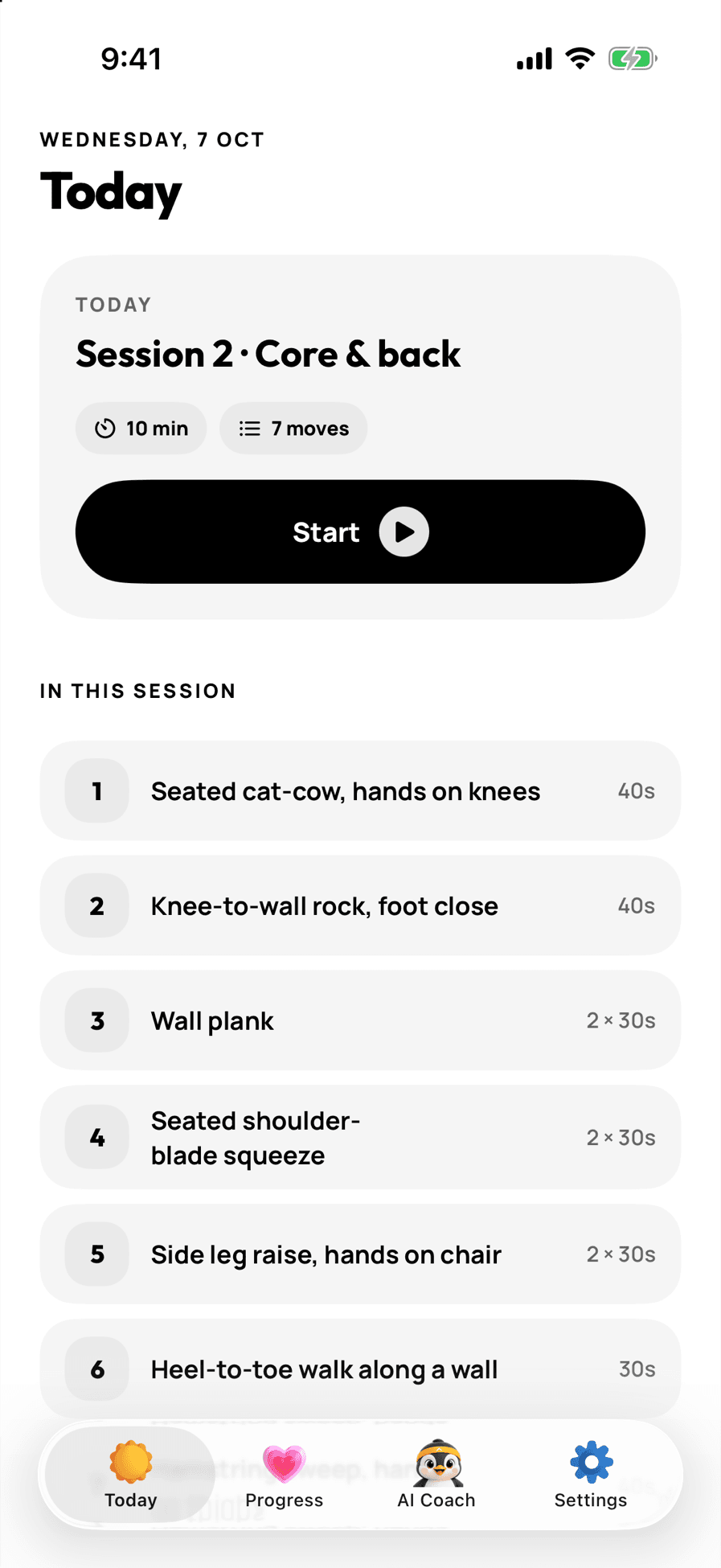
No library, no browse tab, no challenges. Open the app and your next session is already there.
For iPhone
One short plan that fits your day, and a coach called Pip who checks in every week. No streaks to break. No library to scroll.
7 days free, then monthly or annual. No ads.

It's not you
Health and fitness apps keep about 5 in 100 people after a month. (UXCam retention benchmarks) A library of hundreds of workouts, a streak that resets and a weight goal work against you when you're starting out. BeginFit drops all three.
No library, no browse tab, no challenges. Open the app and your next session is already there.
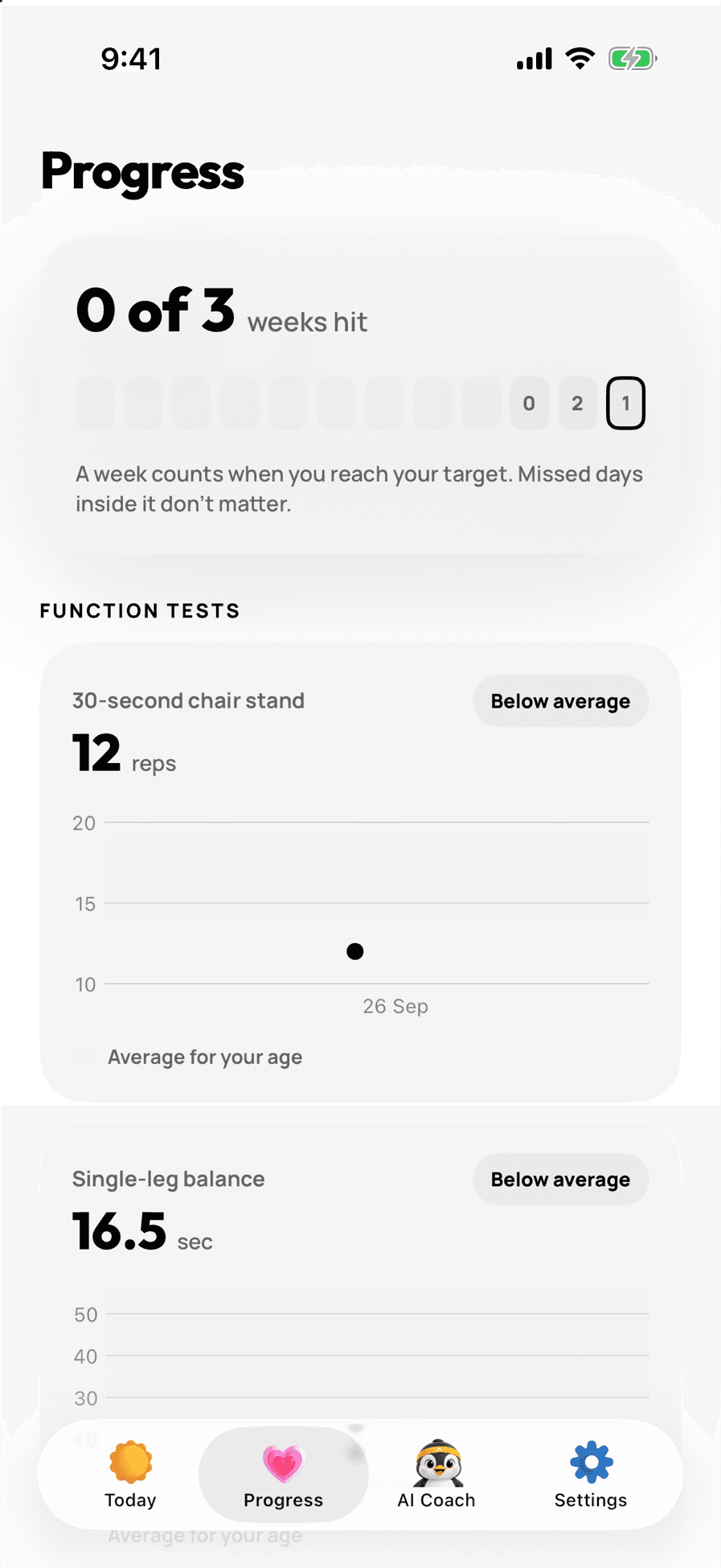
Aim for something like 3 of 7 days. A missed day is just grey. It doesn't undo the ones you did.

We measure what your body can do, like standing up from a chair, instead of what the scale says.
How it works
About three minutes, one question per screen: what you want, how much time you have, where you'll train and what feels sore. Every answer changes the plan.
Chair stands, balance, and getting up from the floor if your knees allow it. This is your real before photo.
Sessions of 5 to 20 minutes on the days you pick. Every move fits your space, whether that's the floor, a chair or a small standing spot, and works around your sore spots.
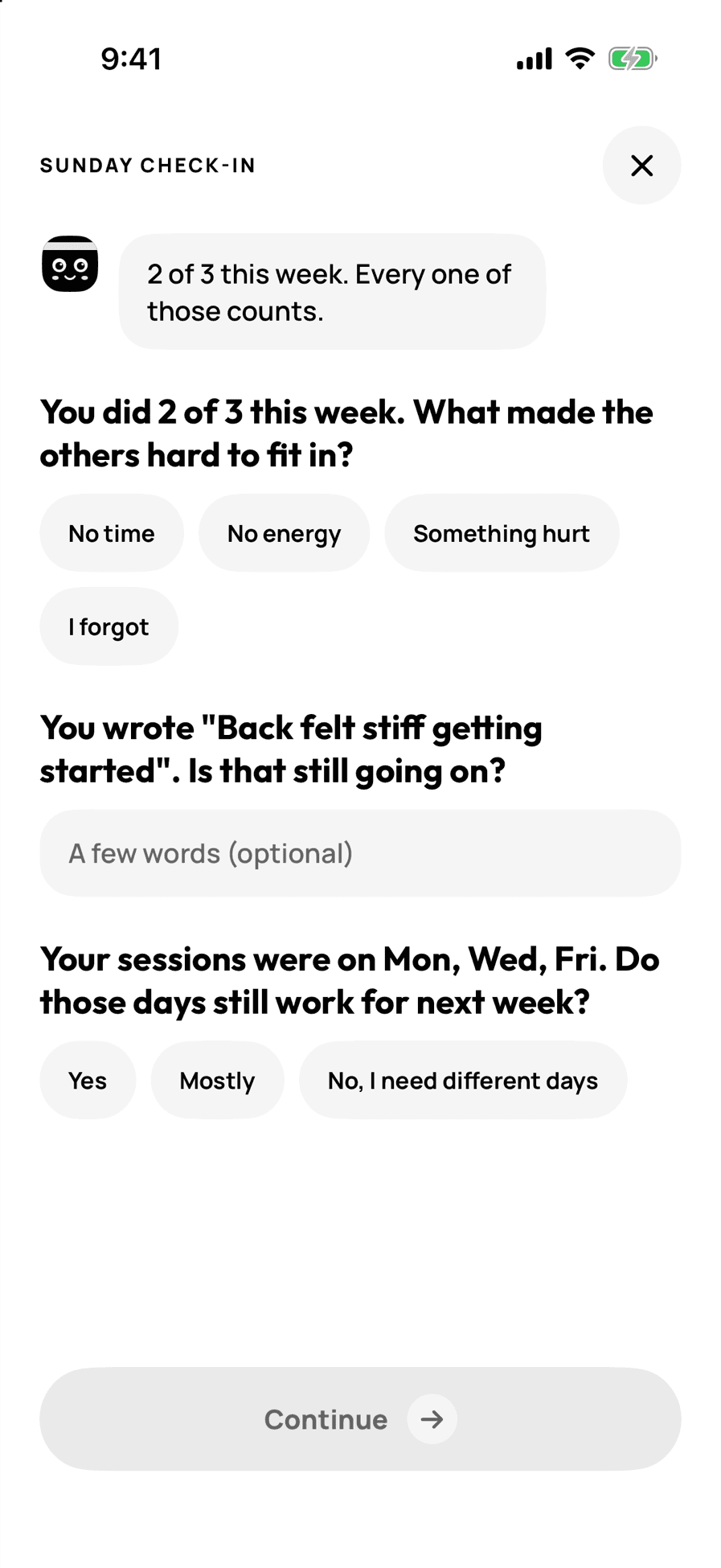
Pip reads your week, asks a few short questions and suggests one change for next week. You decide whether to take it.
Repeat the same three tests and see what changed.

In the session
 A short video for every move, with one cue and the most common mistake to avoid.
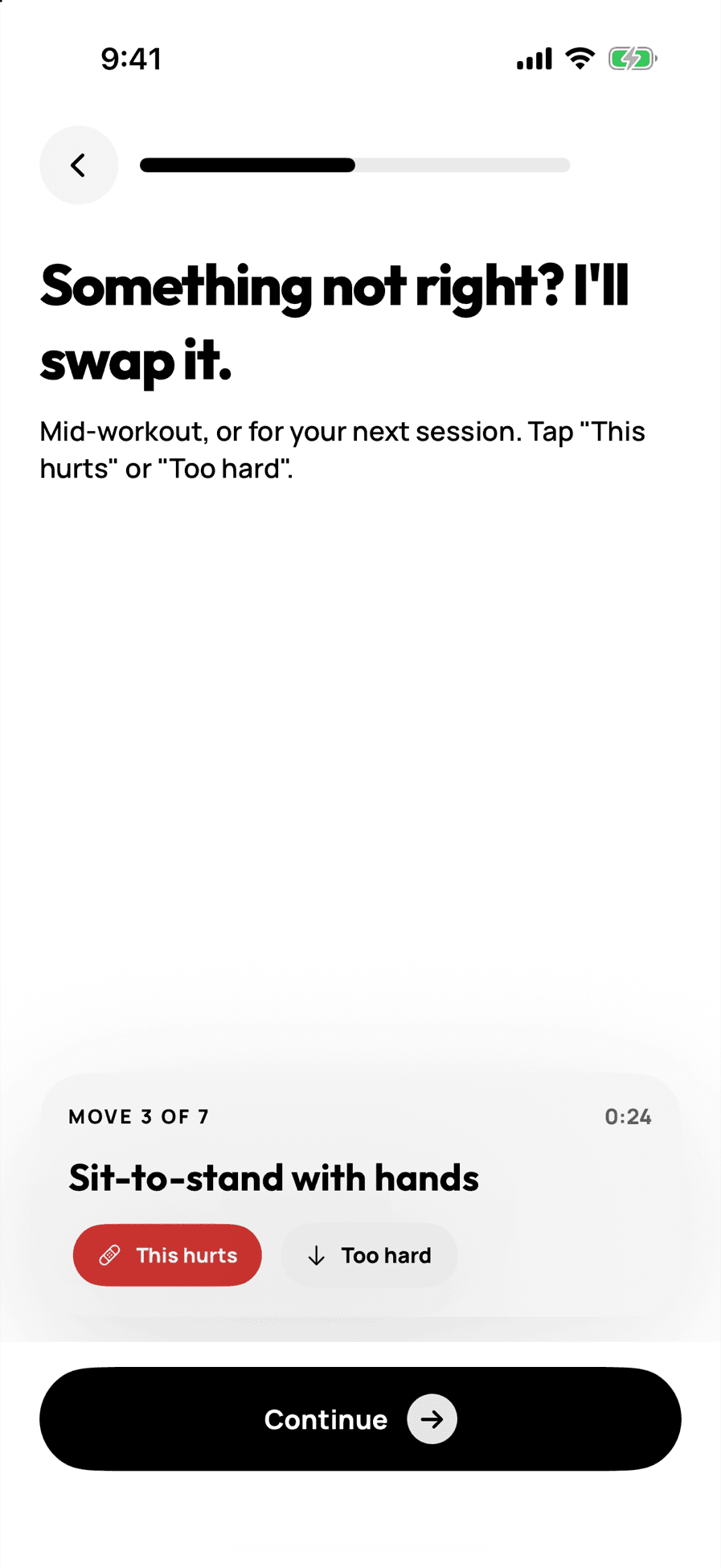
 Tap “This hurts” or “Too hard” and the move is swapped, right then or for next time.
 Stop early and it still counts. Whatever you did is logged.
Meet Pip
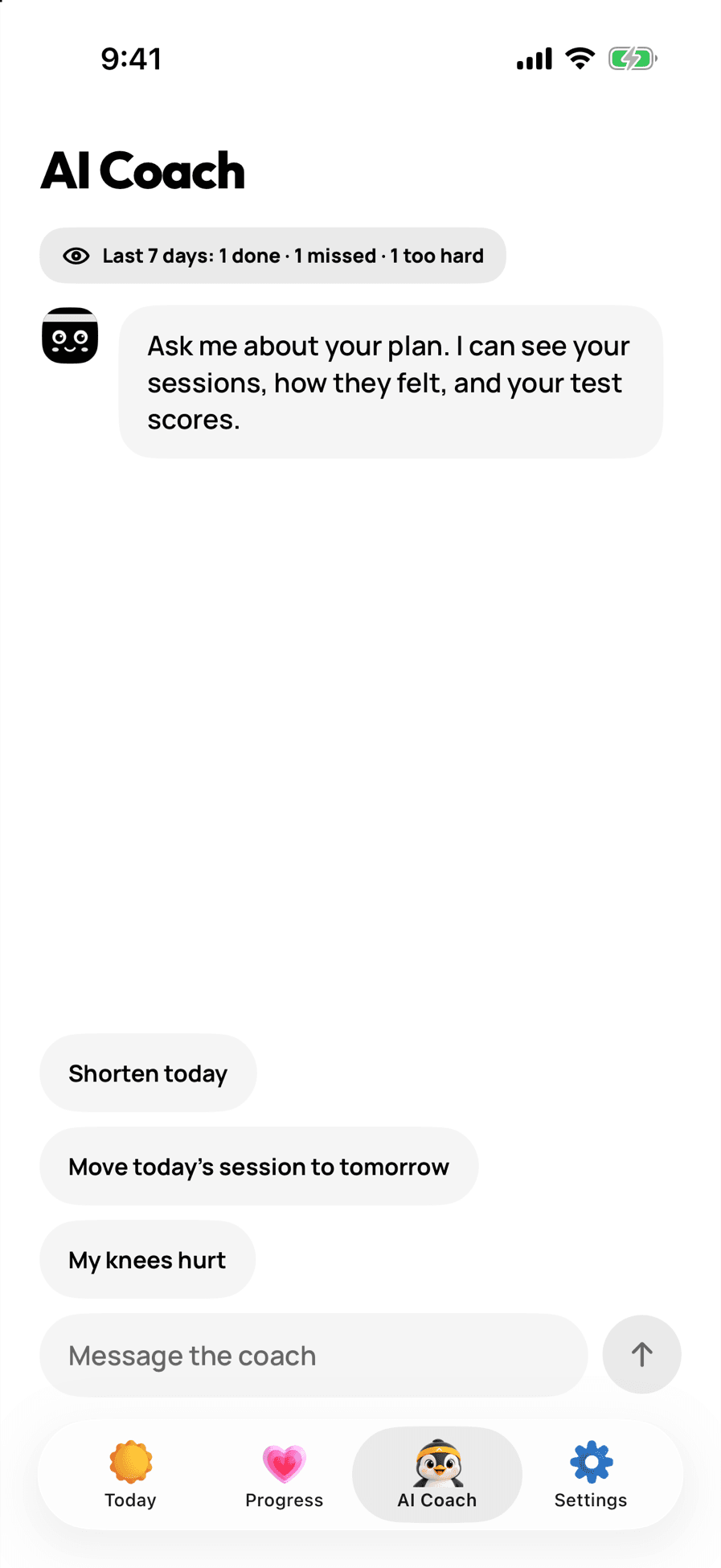
Pip is your AI fitness coach. Every Sunday Pip looks at your week and asks a few questions, and you can ask Pip anything about your plan in between.
Pip sees which sessions you did, what felt hard and what hurt. No generic pep talk.
Every change to your plan waits for you to tap yes.
No diet plans, no diagnoses. If something sounds serious, like chest pain or dizziness, Pip tells you to stop and see a clinician.
Progress
Chair stands, balance and getting up from the floor, compared with people your age. They're things you notice in daily life, and they can move within two weeks.
How easily you get up from the floor is linked with long-term health. (Araújo et al., 2025)
You can log your weight if you want to. There is never a goal line or a prediction.

One honest thing
Everyone does. In a study of how habits form, missing a single day didn't materially affect the habit. (Lally et al., 2010) So BeginFit counts weeks instead of streaks, and your plan is waiting when you come back.

A note from the person who built this
I've been on my own fitness journey for over eight years, and I've made my share of mistakes along the way.
The biggest lesson: starting shouldn't feel overwhelming. You don't need hundreds of workouts or a perfect streak. You need one plan that fits your life, and someone in your corner when it doesn't.
That's what I built.
Anirudh Founder, BeginFit
Questions
Adults who are starting out or coming back after a long break, especially if you sit a lot, feel stiff, or have tried fitness apps before and stopped.
No. You choose your space: floor or mat, chair or desk, or standing in a small spot. Every move in your plan fits it.
5, 10, 15 or 20 minutes. You pick, and you can change it later in Settings.
Tap “This hurts” during a session and the move is swapped for a gentler one. After each session you can say what hurt, and the plan works around it. BeginFit is not medical advice, so check with a doctor first if you have a heart or lung condition, are pregnant, or had surgery in the last six months.
No. Your plan is built by fixed rules from your answers and test results. Pip, the coach, uses AI to write your check-ins and answer questions, and can only suggest changes from the same set of moves.
Your plan, logs and test results are stored on your iPhone. When Pip writes a check-in or answers a question, a summary of your recent week is sent to our coach service to write the reply. You can delete your data from Settings at any time.
It's free for 7 days, then a monthly or annual subscription. The App Store shows the price in your currency before you start, and you can cancel any time.
Not yet. BeginFit is iPhone only for now.
7 days free, then monthly or annual. Cancel any time.